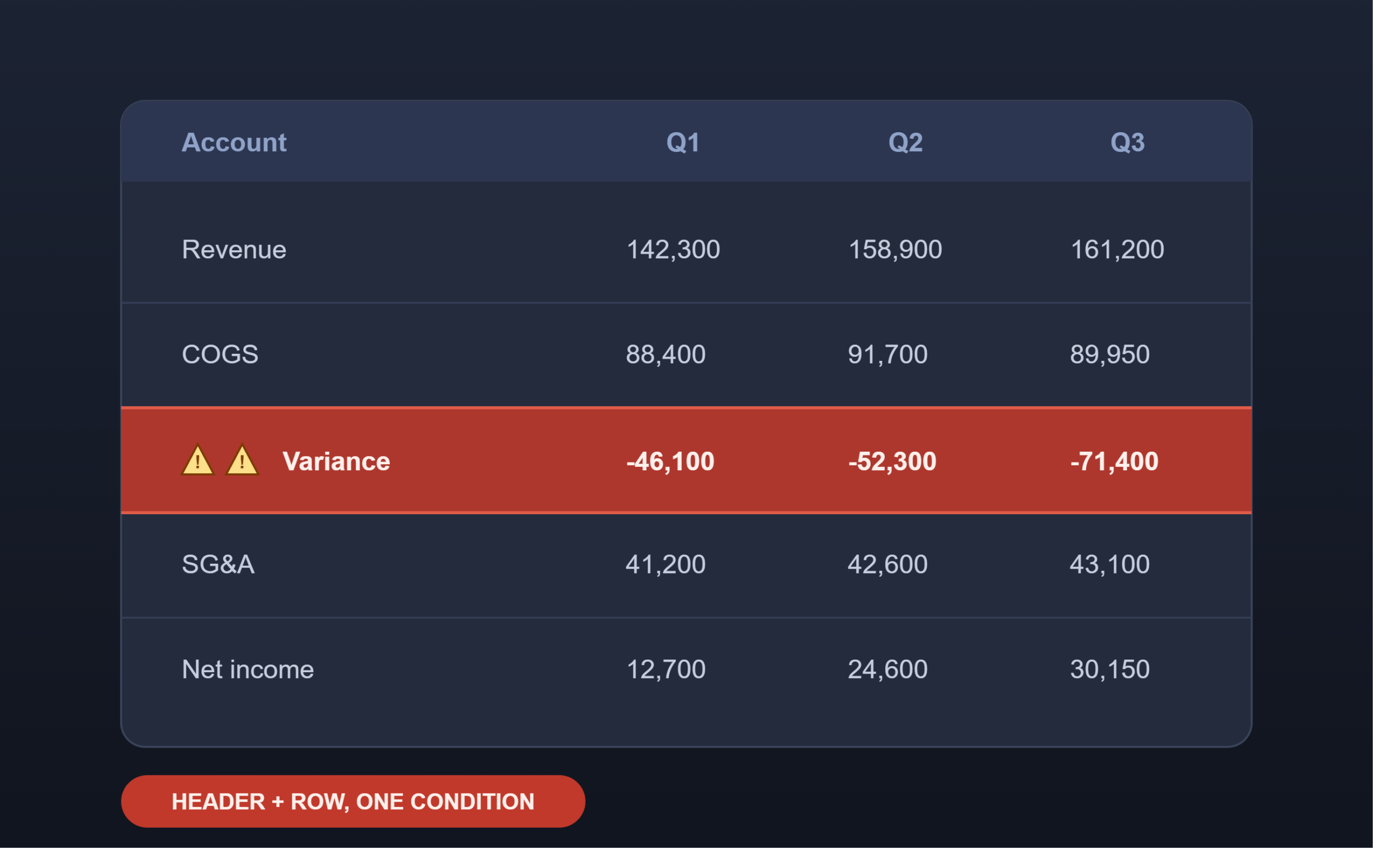
For years, the OneStream community has treated “conditionally format an entire Cube View row — row header included — based on the value in one cell” as basically mythical. Something you nod along to in a forum thread and then quietly give up on.
I cracked it. No Excel gymnastics, no hacky workaround that dies the second someone hits refresh. Just a bit of XFBR hijacking, a DataBuffer, and a row header that now yells at you in little warning triangles when something’s out of bounds.
I’m aware this makes me insufferable at dinner parties. Worth it. Here’s how it works.
The Setup
I was updating an existing Cube View where the row filter was already being generated dynamically via an XFBR string — standard stuff, nothing exotic yet.
The problem: Cube View conditional formatting can react to a cell’s value, but it has no native concept of “and also change how the row header displays based on that same value.” Header and body are formatted independently, and neither one natively looks at data it doesn’t own.
The Hijack
Instead of letting the XFBR string return its row filters straight to the Cube View, I intercepted the result before it got there.
With that string in hand, I pulled a DataBuffer for the relevant records, then looped through the XFBR string and looked up the corresponding value for each row from the buffer.
The Flag
For any record where the value fell outside my threshold, I rewrote that row’s entry in the string — specifically, I prepended “⚠⚠⚠⚠” to the member name driving the row header by adding the “:NAME()” function to the string.
Then I returned the altered string as the row filter, same as it would’ve gone out originally — just with a few members now wearing warning flags nobody asked them to wear.
The Payoff
From there, it’s just native Cube View formatting doing what it does best:
- Row Header Format: an IF condition checking whether
RowE1HeaderDisplayTextcontains “⚠⚠⚠⚠” - Cell Format: the same condition, applied across the row
Both formats point to that same check, and both fire together — full row, header included, painted a lovely shade of tomato the instant a value crosses the line.
Why This Actually Holds Up
No post-processing. No manual Excel formatting that falls apart on the next refresh. The row header itself is carrying the signal, which means Cube View’s own formatting engine can react to it using tools that already exist — you’re just feeding it a header string it wouldn’t have generated on its own.
A couple of notes before you go implement this in your own environment: this walkthrough reflects the logic as I built it in mine — confirm the exact XFBR intercept point and DataBuffer lookup pattern against your own business rule before assuming a 1:1 copy-paste. And obviously, don’t ship visible warning triangles in production member names without a warning of your own to end users first.